The grocery budget app that plans meals, compares prices, and shops by voice
Pick five dinners. See your exact total at Walmart, Kroger, and other major stores before you leave home. The grocery budget app that shows what you'll spend before you shop.
Your email stays private — we never share or sell it.


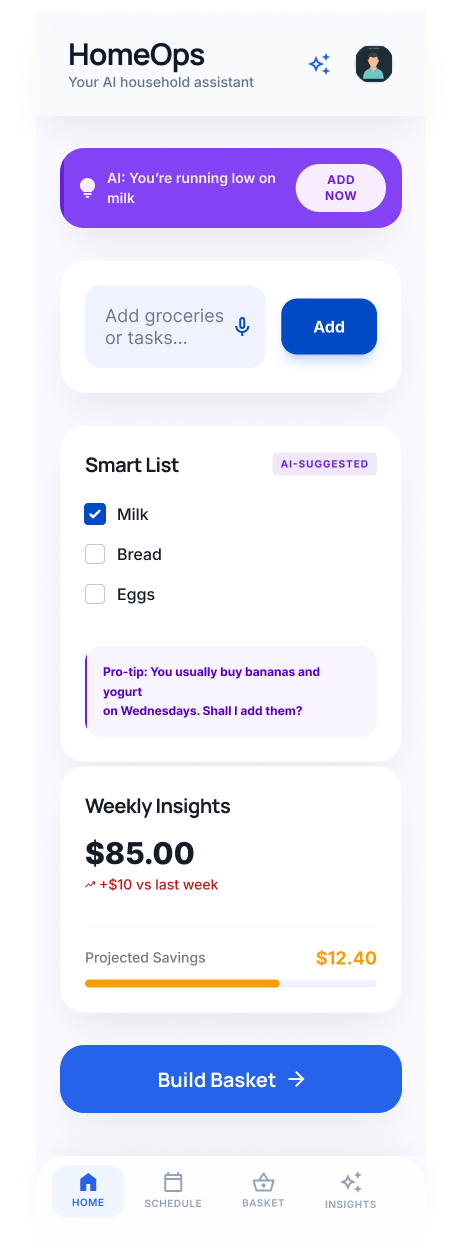
Used Yummly? It shut down in December 2024. HomeOps is being built to do what Yummly never did — connect your meal plan to your actual grocery bill.
Join the waitlist →
“The one thing I need is an app that tells me: this exact list is $12 cheaper at Kroger this week. Just that. Nothing else.”
“I had no idea I was wasting $40 every week buying from the wrong store. Something like this would have saved me $2,000 last year.”
Real prices from the stores you already shop


From voice command to grocery list in four steps
Add items
Tell HomeOps how many dinners you need and your budget for the week. It picks the meals, builds the list, and ends the "what's for dinner?" conversation before it starts.
AI builds your list
Items cluster by aisle. Real prices load from Walmart, Kroger, and other major stores automatically. See the grocery price comparison before you leave — down to the cent.
Shop in-store
Your list lands on your phone sorted by aisle, with the cheaper store already selected. Most families cut their trip to under 10 minutes.
Or get it delivered
Prefer delivery? We show you real store prices first — then surface delivery options with full markup costs visible. No 15% service fee hiding in your subtotal.
The numbers that matter
less grocery spend per year
less time on grocery planning
automated every week
Most grocery list apps fail at the one thing you need
Mealime plans your meals — but never shows you the price. You only find out what you spent after checkout.
AnyList looks fine in the demo. In real life, it can't tell you which store is $15 cheaper for your actual list this week.
Instacart has real prices — plus a 15–20% service markup baked in before you even see your total.
HomeOps automates it
People have been asking for years: “Is there one app that does meal planning, grocery list, and budget tracking?” The answer has always been no. HomeOps is the first app that connects all three.
Plan meals on a budget, compare grocery prices at Walmart, Kroger, and nearby stores — and stop wasting food — all in one place.
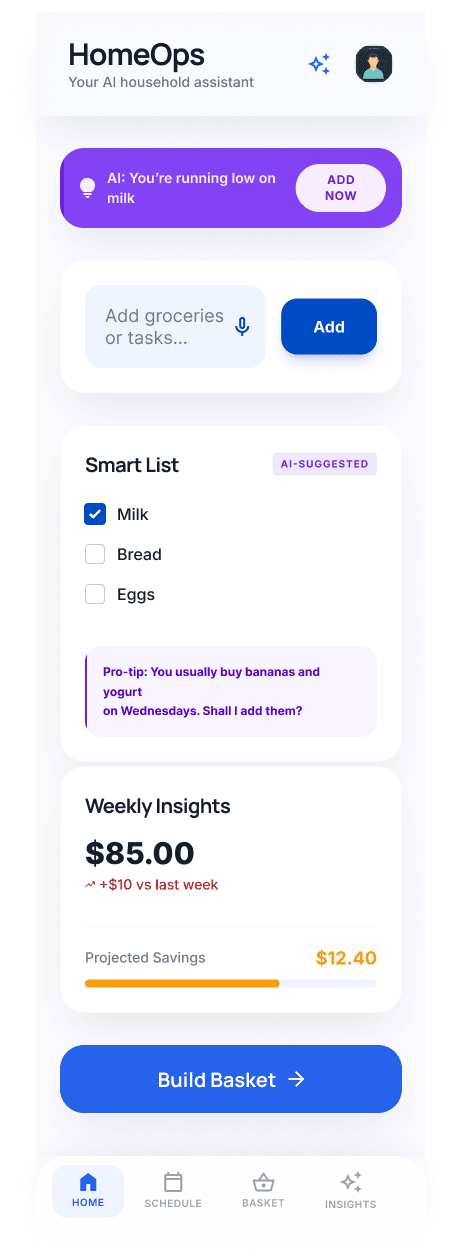
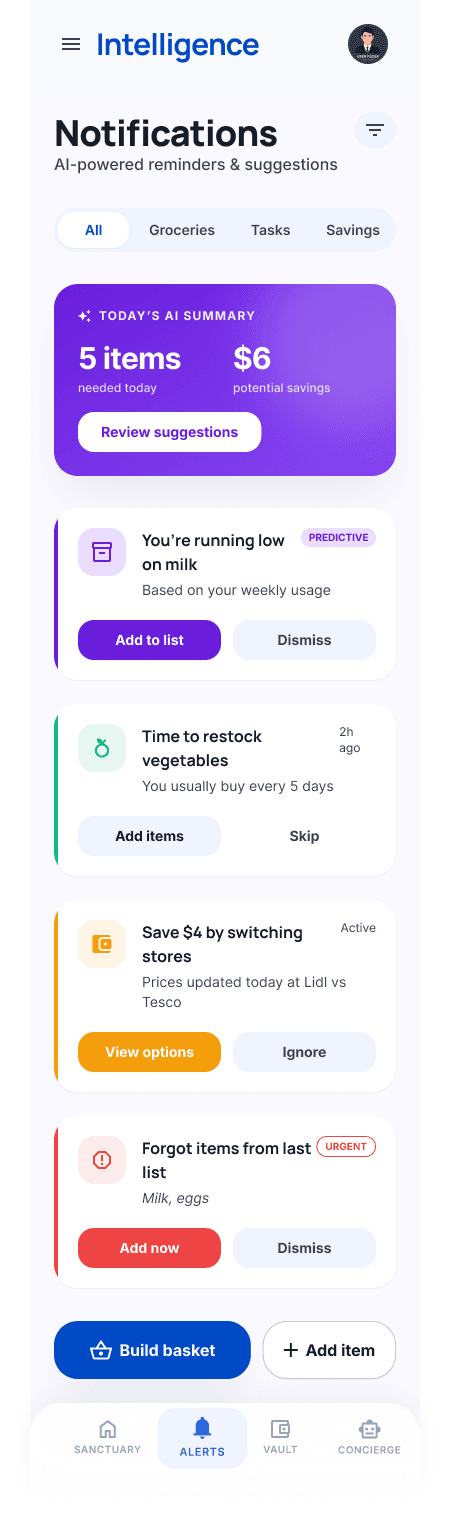
Designed for precision
The cleanest interface ever built for grocery management. Zero clutter, 100% utility.

Common questions
How do I plan meals for the week on a budget?
Tell HomeOps how many dinners you need and your spending target for the week. It picks the meals, builds the grocery list, and shows you the total cost at top stores before you shop — so you know exactly what you'll spend before you leave home.
How does HomeOps compare grocery prices?
HomeOps pulls real prices from Walmart, Kroger, and other major stores for every item on your list and shows you a side-by-side total. You see exactly which store is cheaper for your specific list this week — not generic estimates. Most families find a $10–$20 difference per trip.
Is HomeOps free?
Yes — HomeOps is free. We're launching this summer and opening early access to our waitlist first. No credit card, no catch. Join the waitlist and you'll be among the first to use it when we open the doors.
What's the difference between HomeOps and Mealime, AnyList, or Yummly?
Mealime plans meals but never shows you the price — you find out what you spent after checkout. AnyList builds lists but can't compare store prices. Yummly focused on recipe discovery and shut down in December 2024 without ever solving the budget problem. HomeOps is the first app to connect all three: meal planning, grocery list, and real-time price comparison across major stores.